

If building customer loyalty and attracting new customers are your top marketing objectives then here’s some good news: you can now work towards both of these goals with a fun interactive promotion with multiple games. It’s fully customizable and easy to configure, which means that you get to expose your audience to your logo and corporate colors. Have we mentioned that you don’t need any programming experience to launch your Multi-Game promotion? If you’re ready to boost engagement and convert your audience into qualified leads, then read on! In this blog post, we talk about the main characteristics of the app.
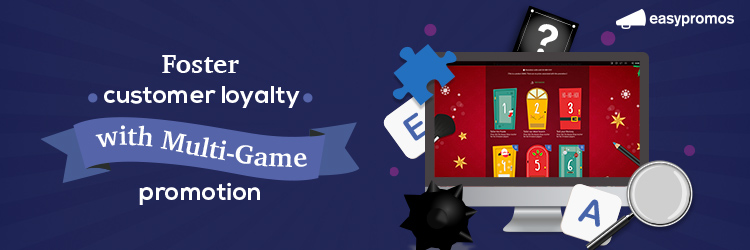
Branded mini-games have proven to be one of the most converting and engaging social media tools. Social media users love a bit of a challenge and surely, so does your audience! Want to diversify your content? Looking to interact with your online community? Make branded game apps part of your strategy and not only boost social media engagement but also maintain it. The Easypromos applications are there to help you achieve your marketing goals.
But this time we take it one step further because now you can combine various games in a single application and prolong user engagement with long-term campaigns. Yes, this is where customer loyalty comes in!
You can run Multi-Game promotions for:
- Followers that are not yet your clients but you wish to expose to your brand, the longer the better.
- Clients that you want to reward for their purchases through interactive exclusive promotions.
- Website visitors that you want to convert into qualified leads.
What objectives can you achieve with the Multi-Game app?
We’ve already mentioned some of the goals that the Multi-Game application can help you achieve. The application allows you to launch multiple stages in a single promotion, for example, daily, weekly, or monthly – and this takes us back to the classic old-school computer games where you had to complete a level before proceeding to the next stage. In the Easypromos Multi-Game application users participate in numerous games where they collect points that are then summed up in the overall ranking page.
Gamification not only attracts attention but also generates rivalry between the participants, and therefore boosts user engagement even further.
All games and stages can be fully customized with the corporate image of the organizing brand (logos, corporate colors), which allows you to expose the audience to your brand and reinforce branding.
Participants gain access to the different game stages by registering through an integrated registration form. That’s how you achieve another goal – you get to generate new leads and therefore expand your mailing list.
How does the Multi-Game application work?
The Multi-Game application allows you to launch various games in one promotional campaign. To be exact, you can launch Puzzle, Memory, Word Search, Hidden Objects, Match It, and Minesweeper games. By participating in each game, the user obtains points which are then added up and displayed on the overall ranking page.
The application comes with the following pages:
- Welcome page – with participation instructions and information about prizes and participation dates.
- User identification page where participants register – it’s a compulsory step so that all games played can be linked to the same account.
- User registration page where participants leave their contact details the first time they participate. Here’s where entrants leave all the information you wish to obtain.
- Game stages – each stage is a different game. Normally, new games open daily, weekly, or monthly but you can choose to open all games at the same time and invite users to participate in all the stages straight away.
- Thank you page – this is where the user sees their score. You can also personalize a “Thank you” message. From here the participant can access the overall ranking page or play the game again in an attempt to get a better score.
- Overall ranking page – this is where all participants and their scores are displayed. You can filter the results by different stage, or look for your friends to compare your scores.
- Prizes page – showcase all incentives if you’re raffling various prizes. Here you can also present the winners.
Other sections of the Multi-Game application, such as Terms & Conditions Privacy Policy and “My networks” must be configured only once in the Multi-Game application and not in separate stages – what a timesaver!




0 Comments